Photograph By Ayan Mukherjee
Ayan M.
Photograph By The Pilgrim
The P.
Photograph By Serge Moscow
Serge M.
Photograph By Jan Symank
Jan S.
Photograph By Barbara Socor
Barbara S.
Photograph By Gregory McLemore
Gregory M.
Photograph By Darryl  Barclay
Darryl  B.
Photograph By Phillip Cohen
Phillip C.
 
imageopolis Home Sign Up Now! | Log In | Help  

Your photo sharing community!

Your Photo Art Is Not Just A Fleeting Moment In Social Media
imageopolis is dedicated to the art and craft of photography!

Upload
your photos.  Award recipients are chosen daily.


Editors Choice Award  Staff Choice Award  Featured Photo Award   Featured Critique Award  Featured Donor Award  Best in Project Award  Featured Photographer Award  Photojournalism Award

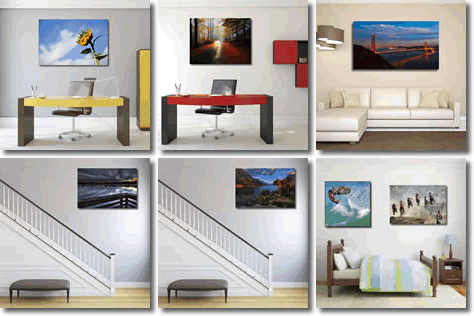
Imageopolis Photo Gallery Store
Click above to buy imageopolis
art for your home or office
.
 
  Find a Photographer. Enter name here.
    
Share On
Follow Us on facebook 


Send this photo as a postcard
Smile
 
Image Title:  Smile
  0
Favorites: 0 
 By: Bob Atkinson  
  Copyright ©2003

Register or log in to view this image at its full size, to comment and to rate it.


This photo has won the following Awards


 Projects & Categories

 Browse Images
  Recent Pictures
  Todays Pictures
  Yesterdays Pictures
  Summary Mode
  All imageopolis Pictures
 
 Award Winners
  Staff Choice
  Editors Choice
  Featured Donors
  Featured Photographers
  Featured Photos
  Featured Critiques
   
 Image Options
  Unrated Images
  Critique Only Images
  Critiquer's Corner
  Images With No Critiques
  Random Images
  Panoramic Images
  Images By Country
  Images By Camera
  Images By Lens
  Images By Film/Media
   
 Categories
   
 Projects
   
 Find Member
Name
User ID
 
 Image ID
ID#
 
   
 Search By Title


Photographer  Bob Atkinson {Karma:393}
Project N/A Camera Model Canon 1D
Categories Wildlife
Film Format
Portfolio Lens Sigma 50-500mm
Uploaded 11/11/2003 Film / Memory Type digital
    ISO / Film Speed 0
Views 537 Shutter 1/250
Favorites Aperture f.7.1
Critiques 3 Rating
4.87
/ 3 Ratings
Location City - 
State - 
Country -   
About
EXIF Data
Random Pictures By:
Bob
Atkinson


American Town

Say Hello Dear

the Whole Smile

White Rhino

Can Can

Sage

Club Car

Red Swoosh

Hi Mommy

Smile

There are 3 Comments in 1 Pages
  1
Todd Broadbent   {K:2204} 11/12/2003
This is a very good composition, however, I agree that the image needs some work. It is quite overcast with grey which is typical of digital scans or photos sometimes. I am also a fan of levels but I also finish off using curves to tweek the image just the way I like it. I think Jim's rendition has removed the "cloud" and corrected the color. I personally would brighten up the colors a bit but I think it's important not to over do it. Eric's rendition in my opinion has stepped over the reality line as he admits himself. I think the green got layed on a little heavy in this one. Somewhere in the middle is where I like to be. Since everyone else had their hand at this, I couldn't resist adding my personal touch. That way you'll have 4 variations of the same photo to choose from. Color is subjective to the viewer, however, the "cloud" should be removed regardless and can be done quite easily by bringing your triangles to the edge of the histogram in levels. Just make sure your numbers all match in R, G, and B modes, otherwise your color correction will be off. This is probably the longest critique I've written in a while, but I love tigers, so...

  0


Eric Goldwasser   {K:4294} 11/11/2003
Bob, this is way cool. May I suggest some color however? :-) It's probably not the reality, but seems a teeny bit more lively. Hope you don't mind.

  0


Jim Goldstein   {K:21230} 11/11/2003
First thing I noticed is the blurry foliage near the tigers face. In fact I at first thought there was something between you and the tiger. It's tough with these types of shots to be conscious of your background, but it is something to consider. Your file also was in dire need of color correction. I did a very quick pass to show you the difference. This was done in photoshop via the Auto Contrast and Auto Level functions. Both adjustments made dramatic differences. You can use the Curves setting in place of the Levels, but thats a matter of preference. I hope this helps.
  0


  1


|  FAQ  |  Terms of Service  |  Donate  |  Site Map  |  Contact Us  |  Advertise  |

Copyright ©2013 Absolute Internet, Inc - All Rights Reserved

Elapsed Time:: 0.265625